When you start sending email yourself, the first problem is rarely a code error. It's mail landing in spam. Most of the time, the cause is authentication. Gmail, Outlook and QQ Mail all check these three records. Miss one or get one wrong, and your mail looks like it came from nowhere.
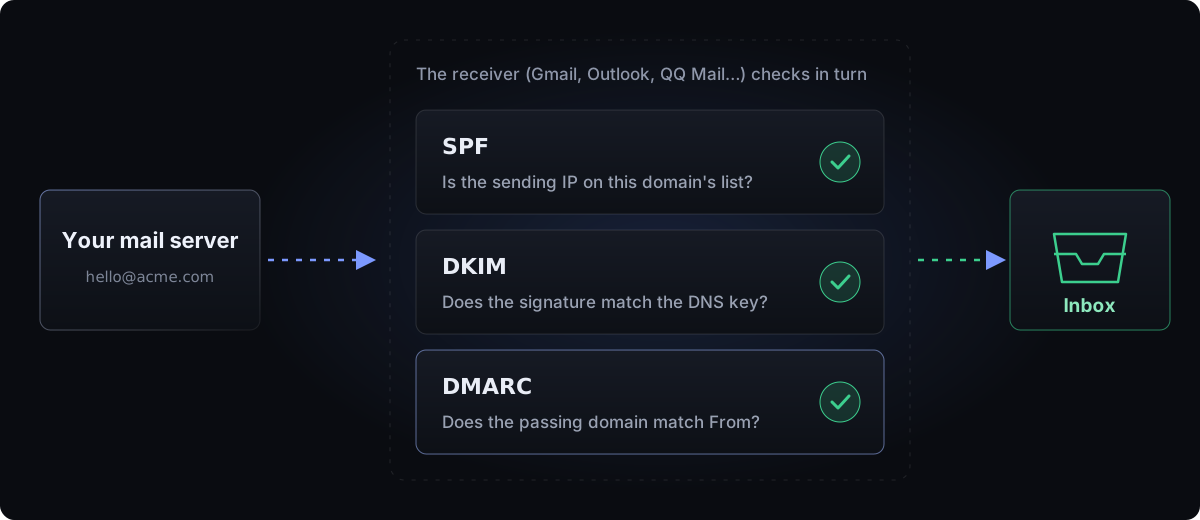
SPF: who may send for you
A single TXT record that lists the servers allowed to send mail for this domain. The receiver compares the sending server's IP against that list.
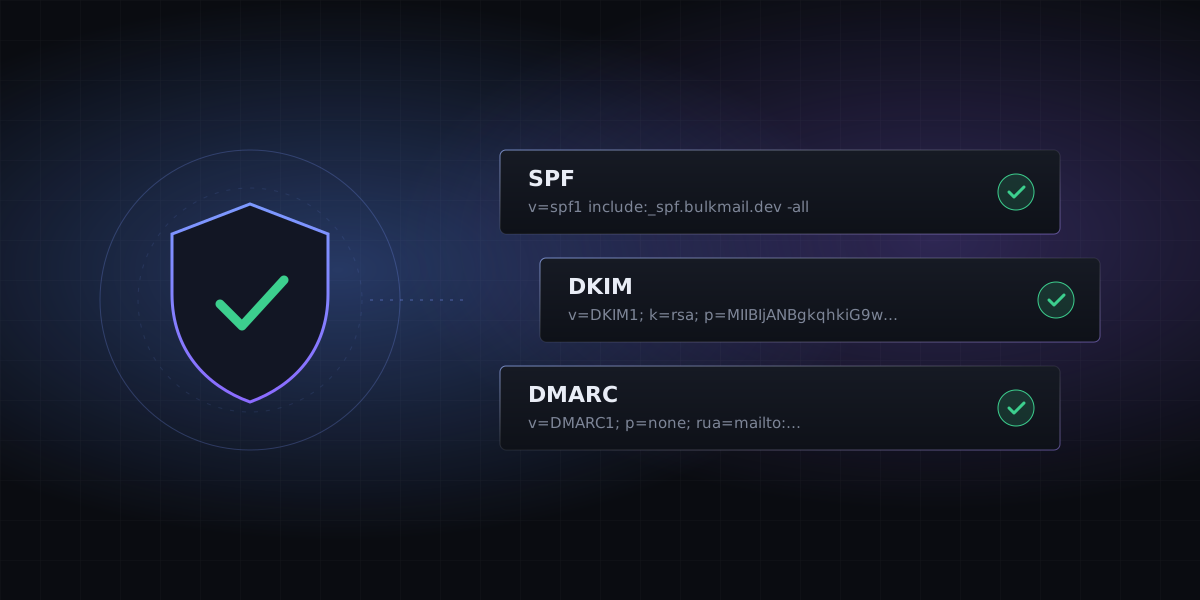
send.example.com. TXT "v=spf1 include:_spf.bulkmail.dev -all"include:pulls in your provider's sending IPs. Your provider tells you what to put here.-allmeans anything not on the list fails. While you're setting things up, you can start with~all: not trusted, but not rejected outright.
DKIM: proof the message wasn't altered
DKIM signs each message with a key pair. The private key stays on the sending server, and the public key goes in DNS. The receiver verifies the signature with the public key. If it matches, the message really came from you and wasn't changed on the way.
bm1a2b._domainkey.example.com. TXT "v=DKIM1; k=rsa; p=MIIBIjANBgkqh..."bm1a2b is the selector, which tells apart several keys on the same domain. The public key is long, and some DNS providers split it into several strings automatically. That's normal and nothing to worry about.
Of the three, DKIM matters most. SPF easily breaks when a message is forwarded, but the DKIM signature travels with the message.
DMARC: what happens when they fail
DMARC requires at least one of SPF or DKIM to pass, and the domain that passed must match the From domain the reader sees. This is called alignment. DMARC then tells the receiver what to do when that isn't met.
_dmarc.example.com. TXT "v=DMARC1; p=none; rua=mailto:dmarc@example.com"| Value of p | Meaning | When to use it |
|---|---|---|
none | Monitor only, take no action | At the start, while you read the reports |
quarantine | Send to spam | Once you're sure all your legitimate mail passes |
reject | Reject outright | When you're fully confident. Best protection against spoofing |
How to check it's working
- Look it up from the command line:
dig +short TXT _dmarc.example.com. If you see what you added, the DNS change is live. - Send a message to your own Gmail and open "⋮ → Show original". The top of the page shows PASS or FAIL for all three.
- If you use BulkMail, the Domains page in the dashboard shows the check result for every record.
FAQ
How long until DNS changes take effect?
Usually a few minutes, sometimes a few hours, depending on the TTL and your DNS provider. Cloudflare usually shows the change within a minute or two.
We already use a business mailbox. Will this conflict?
DKIM won't, because the selectors are different. SPF and DMARC allow only one record per name, so it's best to send system mail from a subdomain such as mail.example.com, completely separate from your office mail.